
Reference
View commands
Use these commands to change how Tiza shows the code. Tiza saves the theme, the title, the line numbers, the padding and the margin in the document. Exports use the theme, the line numbers and the margin. A Markdown export shows the title above the code. An SVG export writes it as the SVG title, which it does not draw.
Each image on this page is a frame of a tiza render export, except the images of :focus, :pad and :layout. The code is examples/ownership.rs. A frame shows only what an export draws, so some commands have no frame. An export does not draw the focus, the padding of the TUI or the layout of normal mode, so the images of these commands show the TUI.
:focus
Dims all the lines except a range. :focus alone clears the focus.
:focus A-B
:focus
For example, :focus 6-8 dims all the lines except 6 to 8.
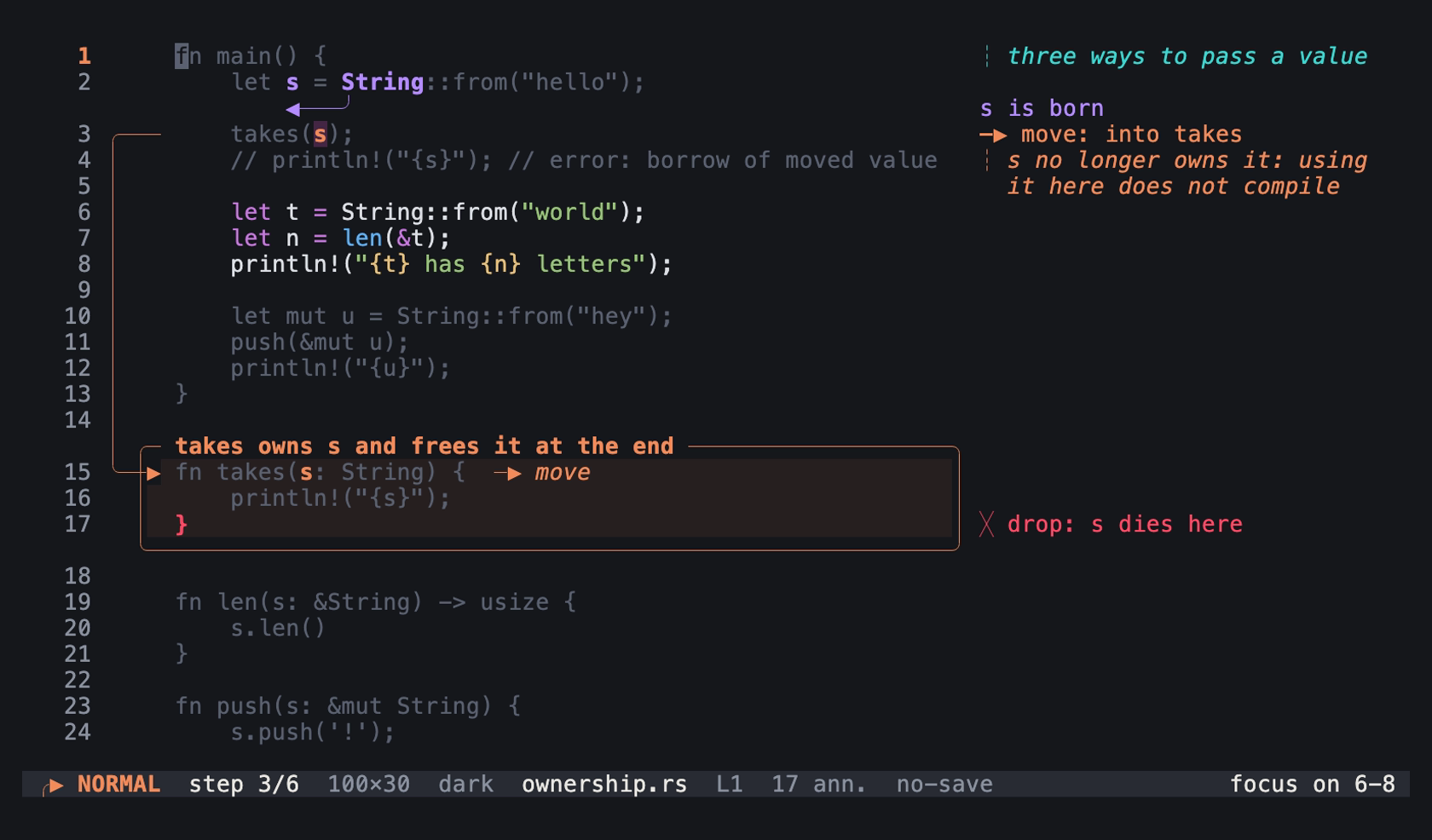
:focus 6-8 at step 3 of examples/ownership.rs.tiza in normal mode: an image of the TUI in a real terminal of 100 columns and 30 rows, with the Menlo font.
:focustakes lines that are in the code. WhenBis after the last line, Tiza stops the focus at the last line.- A range can also be
A..BorA:B. Write it without spaces. Escin normal mode also clears the focus.hon a line selection sets it.- Tiza does not save the focus.
:exportshows it, buttiza renderdoes not. To dim lines at one step, use:spot.
:theme
Sets the theme, or changes between the dark and the light theme.
:theme NAME
:theme
:theme auto
:theme file PATH
For example, set the light theme:
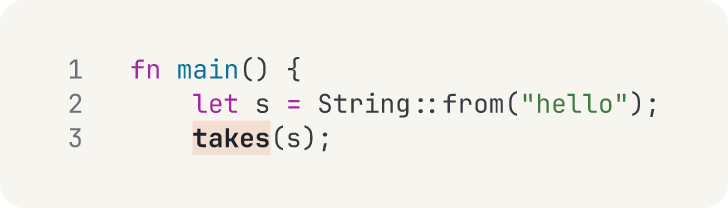
examples/ownership.rs, lines 1 to 3
:theme light
:hl 3:takes
Open lines 1 to 3 of examples/ownership.rs: tiza examples/ownership.rs:1-3 --no-save. Then type the commands.
Notes on :theme
:themealone does the same ast.:theme autofollows the theme of the terminal again. The document then names no theme. See The auto theme.:theme file PATHloads the theme tokens from a TOML file.- The names of the themes are in Theme names.
:lang
Sets the language of the code, finds it again, or shows it.
:lang LANG
:lang auto
:lang
For example, :lang py shows the code as Python.
LANGis a language id, for examplers,tsorpy.:lang autofinds the language again.:langalone shows the language.- How Tiza finds the language is in How Tiza finds the language.
:title
Sets the title of the document. :title alone removes the title.
:title TEXT
:title
For example, :title Ownership.
:numbers
Shows or hides the line numbers.
:numbers on
:numbers off
For example, hide the line numbers:
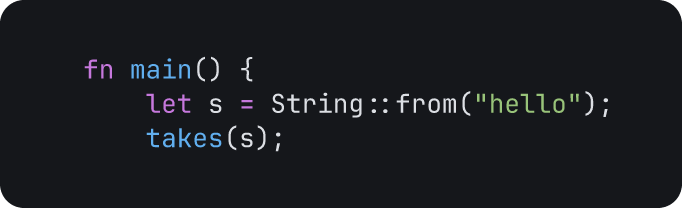
examples/ownership.rs, lines 1 to 3
:numbers offOpen lines 1 to 3 of examples/ownership.rs: tiza examples/ownership.rs:1-3 --no-save. Then type the commands.
Notes on :numbers
:numbersalone shows the current value.- A document without
numbersusesnumbersof the config file, else it shows the line numbers.:numbers onand:numbers offwrite the value into the document, also when the config file gives the same value. See Which value wins. tiza render --numbersand--no-numberschange the line numbers for one export.
:pad
Sets the blank cells around the code and its annotations: V rows and H columns.
:pad V [H]
:pad default
For example, :pad 0 0 removes the padding.
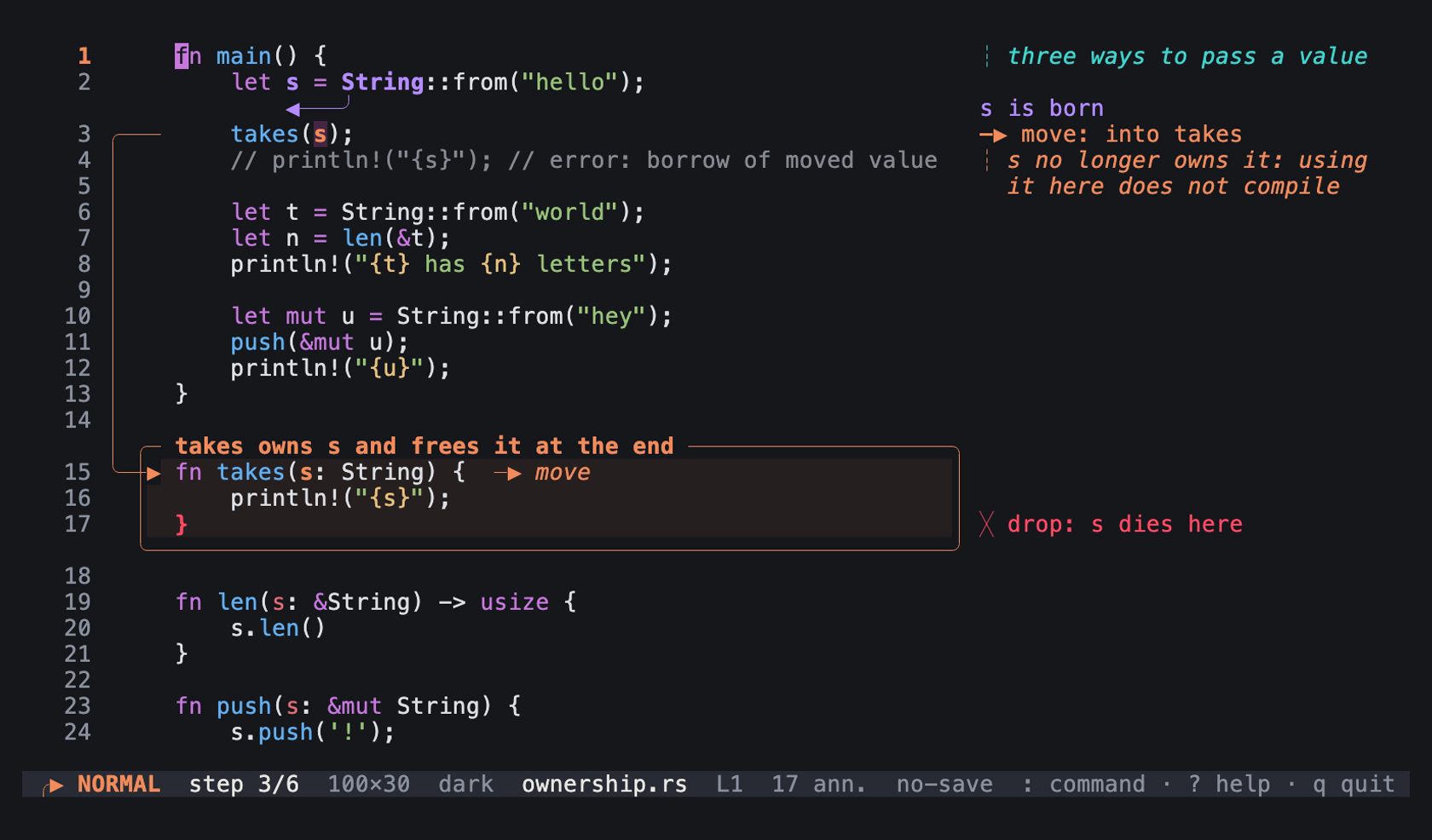
Step 3 of examples/ownership.rs.tiza with the padding of the document, 1 row and 2 columns: an image of the TUI in a real terminal of 100 columns and 30 rows, with the Menlo font.
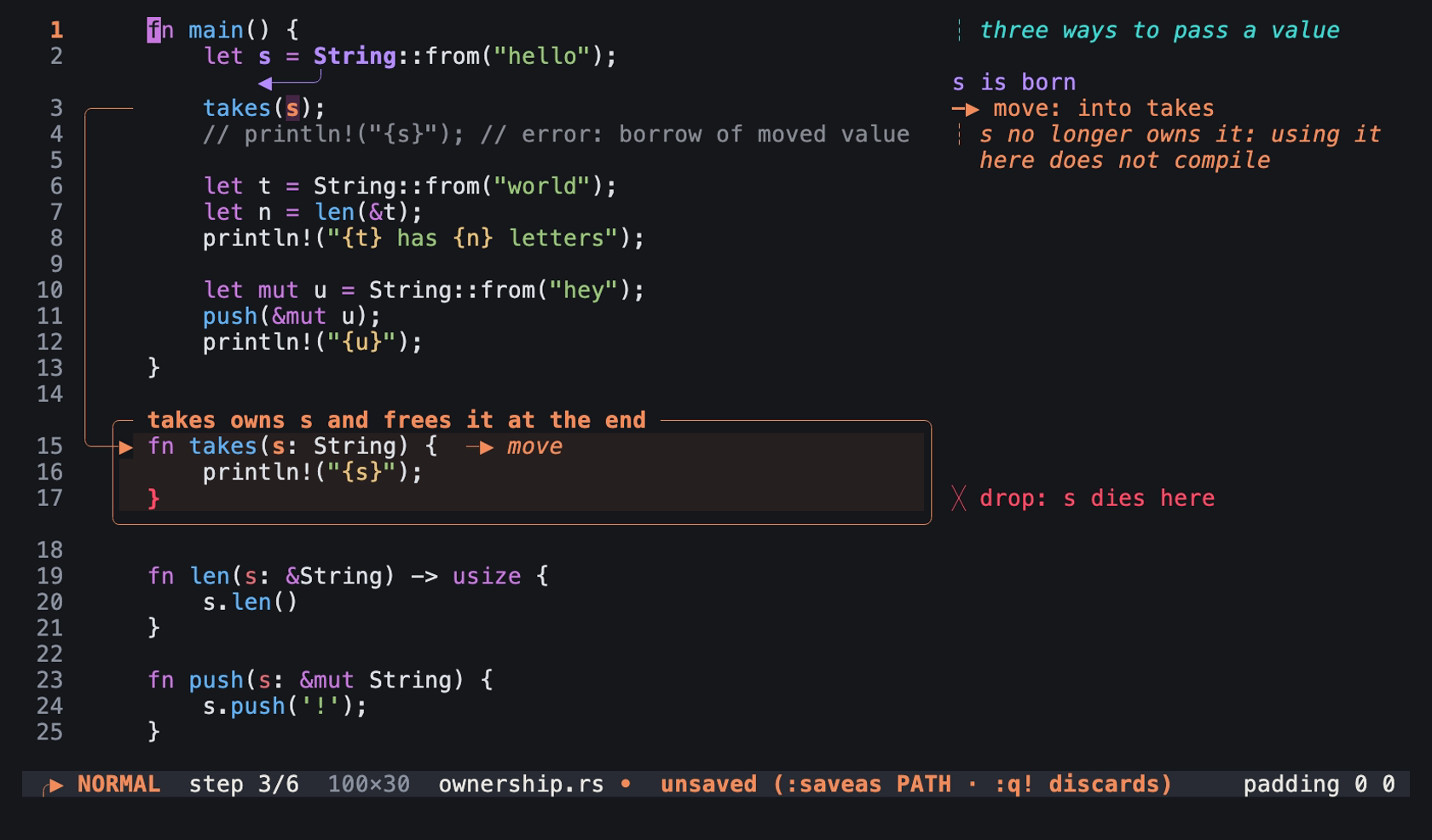
The same step after :pad 0 0. The document now has changes that are not saved, because :pad writes the padding into the document: an image of the TUI in a real terminal of 100 columns and 30 rows, with the Menlo font.
:pad defaultremoves the padding of the document. The padding is thenpadof the config file, else 0 rows and 1 column. The message ends with(from config.toml)or(default).:pad VsetsHto two timesV.:padalso takesV,Hwith a comma. Tiza ignores the values afterH.:padalone shows the current value.
:margin
Sets the largest width of the right margin, from 12 to 200 cells. Tiza puts notes, labels and legends in the right margin when it has room, and under the line when it has no room. In the right margin, a note, a label or a legend that is longer than the margin continues on the free rows under its line. When no row is free, Tiza cuts it and ends it with ….
:margin N
:margin auto
For example, :margin 40 limits the right margin to 40 cells. In this frame, :margin 20 cuts a long note at 20 cells, and ends it with …. Line 3 is the last line of the code, so no row is free under it:

examples/ownership.rs, lines 1 to 3
:note 3 s moves into takes, and main can no longer use it
:margin 20
Open lines 1 to 3 of examples/ownership.rs: tiza examples/ownership.rs:1-3 --no-save. Then type the commands. The image is 80 columns wide.
:margin autoremoves the limit. The right margin then takes the width that the code leaves.:marginalone shows the current value.tiza render --margin-colschanges the margin for one export.
:layout
Sets the layout of normal mode.
:layout stable
:layout dynamic
:layout stableuses the take while you edit. The status bar shows⊞ stable.:layout dynamicsizes the arrow lanes, the box band and the code column for the step on screen. The take sizes them for all the steps. Thus at an earlier step, a label can be in a different place from presentation mode and the exports.- In normal mode, the
!badge of the status bar tells what the screen cuts.tiza checkchecks the take. See Badges on the status bar. - Presentation mode and exports always use the take.
:layoutalone shows the current value.:layoutchanges only this session. The document does not keep it.layoutin the config file sets the layout at start. See[defaults].
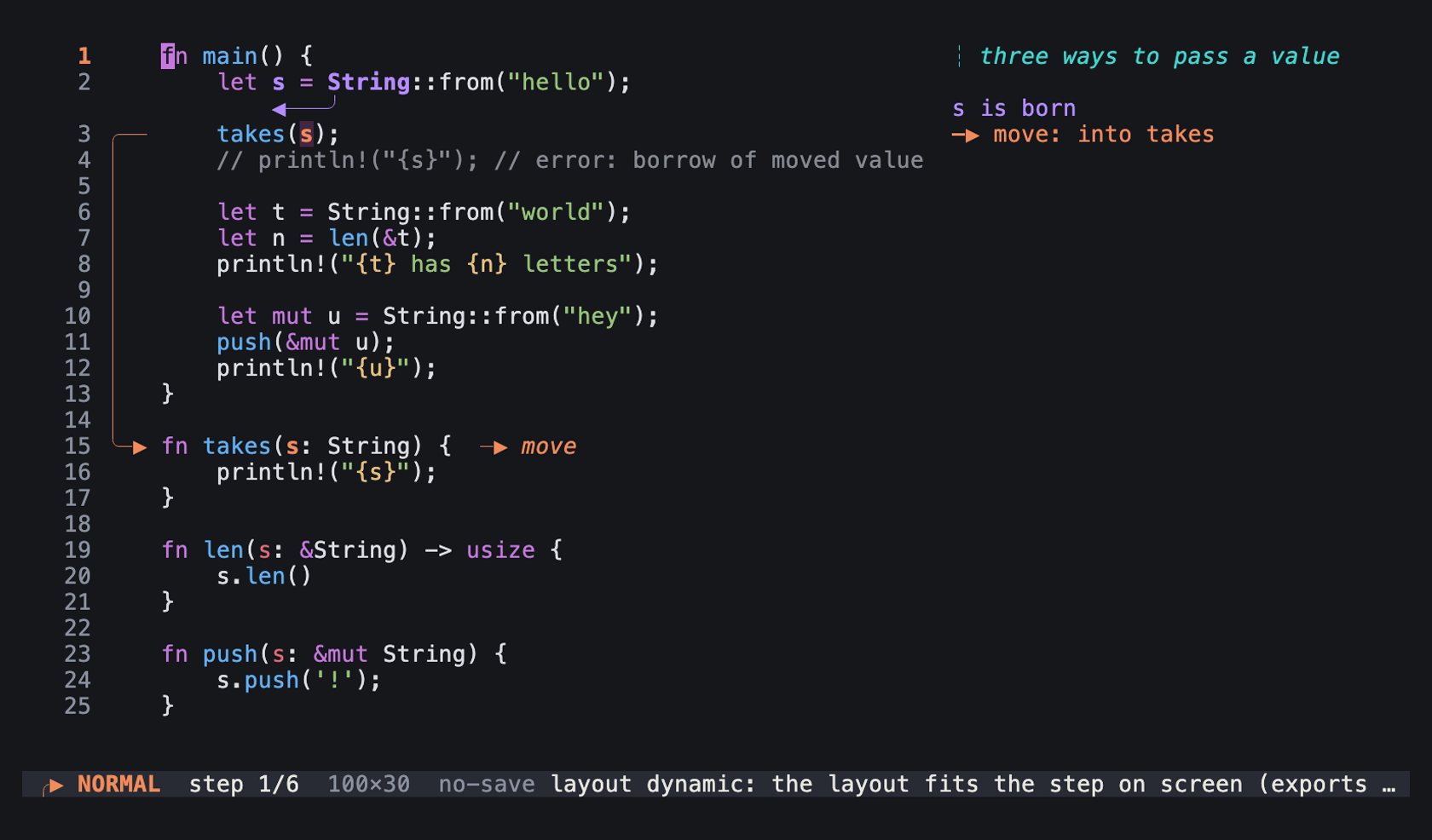
:layout dynamic at step 1 of examples/ownership.rs.tiza: an image of the TUI in a real terminal of 100 columns and 30 rows, with the Menlo font.
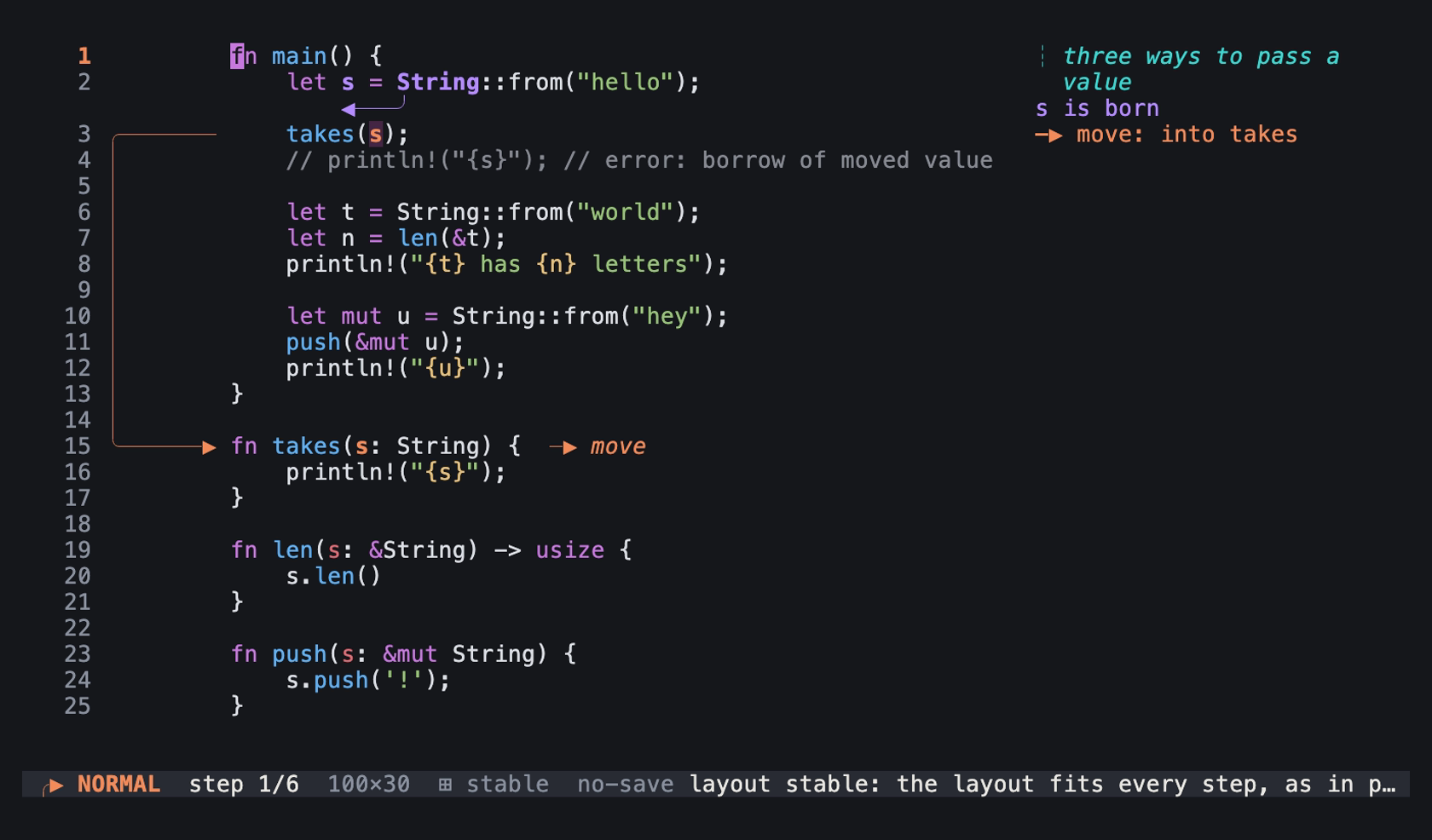
:layout stable at the same step. The lanes of the arrows of later steps are there already, as in presentation mode and the exports: an image of the TUI in a real terminal of 100 columns and 30 rows, with the Menlo font.
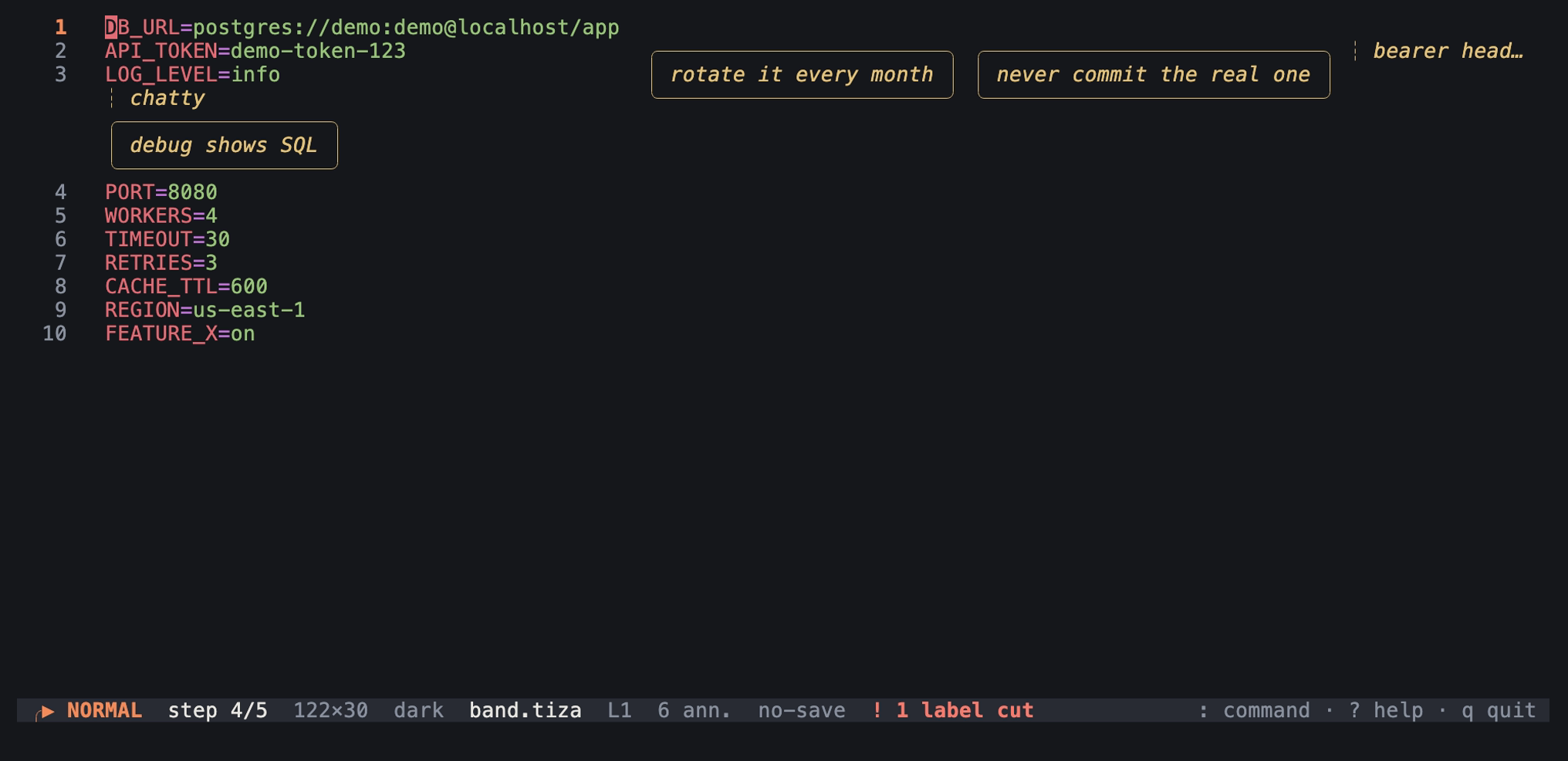
:layout dynamic at step 4 of a document whose box comes in at step 5. The band of the box is not there yet, so the code starts one column more to the left, and the margin two columns. The note bearer header is cut in the margin, and the callout debug shows SQL goes under line 3. An image of the TUI in a real terminal of 122 columns and 30 rows, with the Menlo font.
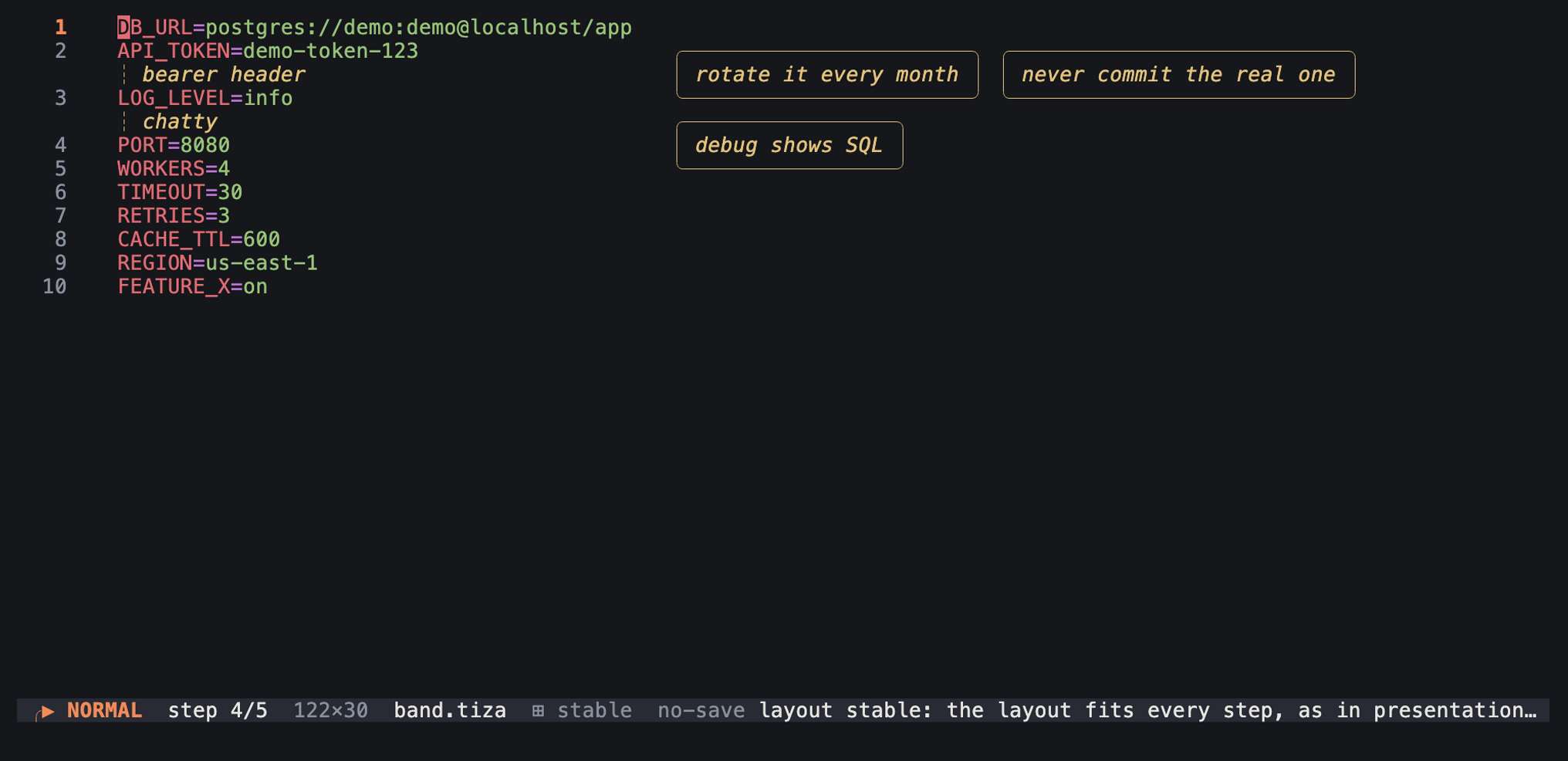
:layout stable at the same step. The band of the box is there already, and the labels are where presentation mode and the exports put them. An image of the TUI in a real terminal of 122 columns and 30 rows, with the Menlo font.
:mouse
Turns mouse capture on or off, or shows its state.
:mouse on
:mouse off
:mouse
The mouse is in Use the mouse.