
Guides
Supervise an agent
Use supervised mode to accept or reject each change that an agent asks for. This page also tells what the status bar says about agent changes that you cannot see.
Tiza is a terminal tool that draws annotations on code. To install it, see Install.
You need an agent that is connected to Tiza. See Connect an agent.
For example, type :supervise on, then give your agent this prompt:
Use Tiza to review the code that I have open, as in a pull request review.Make one step for each finding, with a note on each risk.I accept or reject each change that you make.Review the agent changes
- Type
:supervise on. The status bar shows⏸ supervised. - Work as usual. Each change that an agent asks for waits. The status bar shows
⏸ N to review · :review. - Type
:review. The review lists the changes that wait, with the time that each one waited. - Select a change with
jork. PressyorEnterto accept it, ornto reject it. - To stop, type
:supervise off. Tiza rejects the changes that still wait.
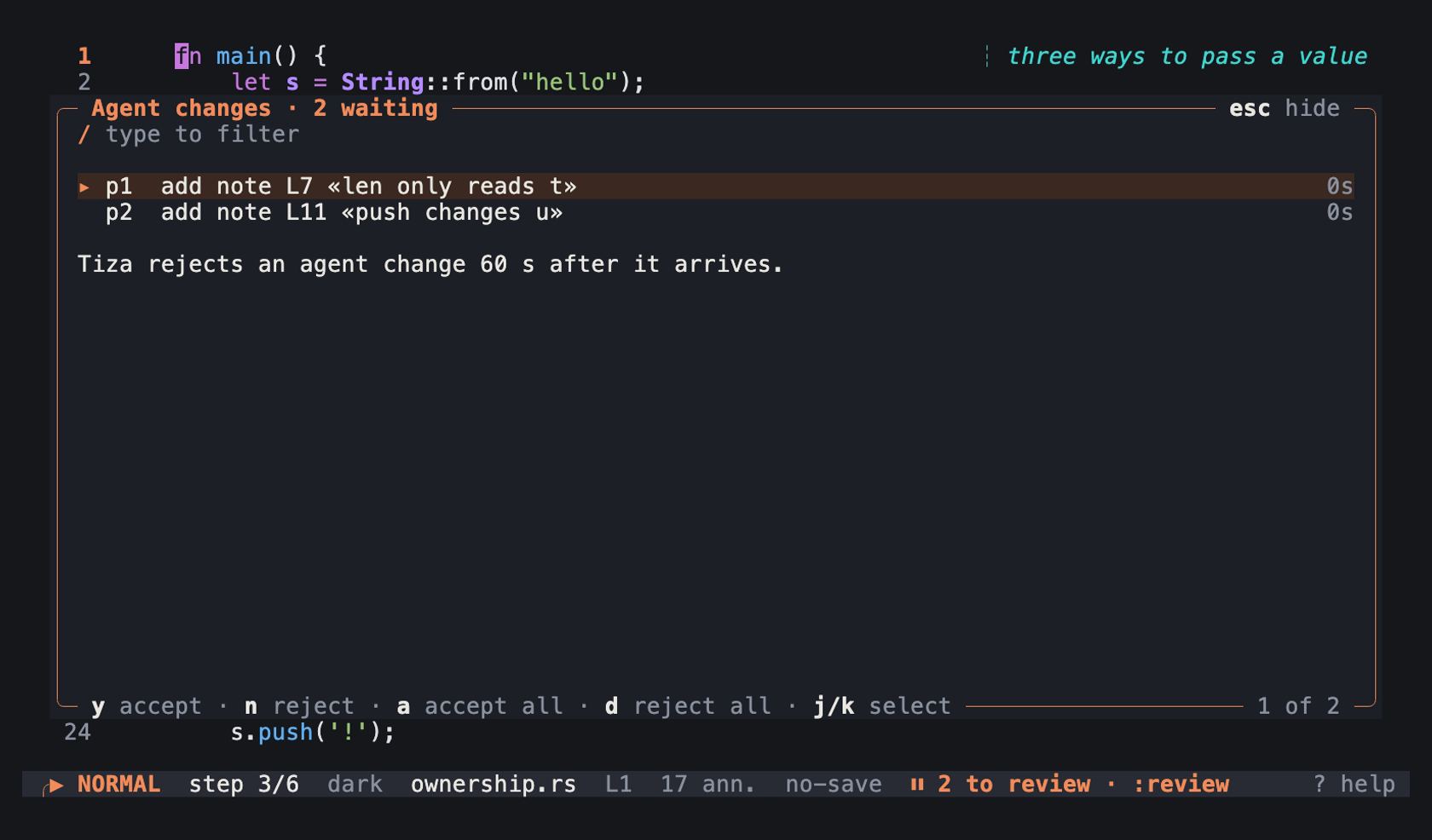
The review with two agent changes that wait, at step 3 of examples/ownership.rs.tiza: an image of the TUI in a real terminal of 100 columns and 30 rows, with the Menlo font.
Nothing opens over the code by itself. In presentation mode, ⏸ N to review · :review shows at the bottom left. In a terminal that draws ⏸ two cells wide, it shows || in place of ⏸. See Signs that some terminals draw wide.
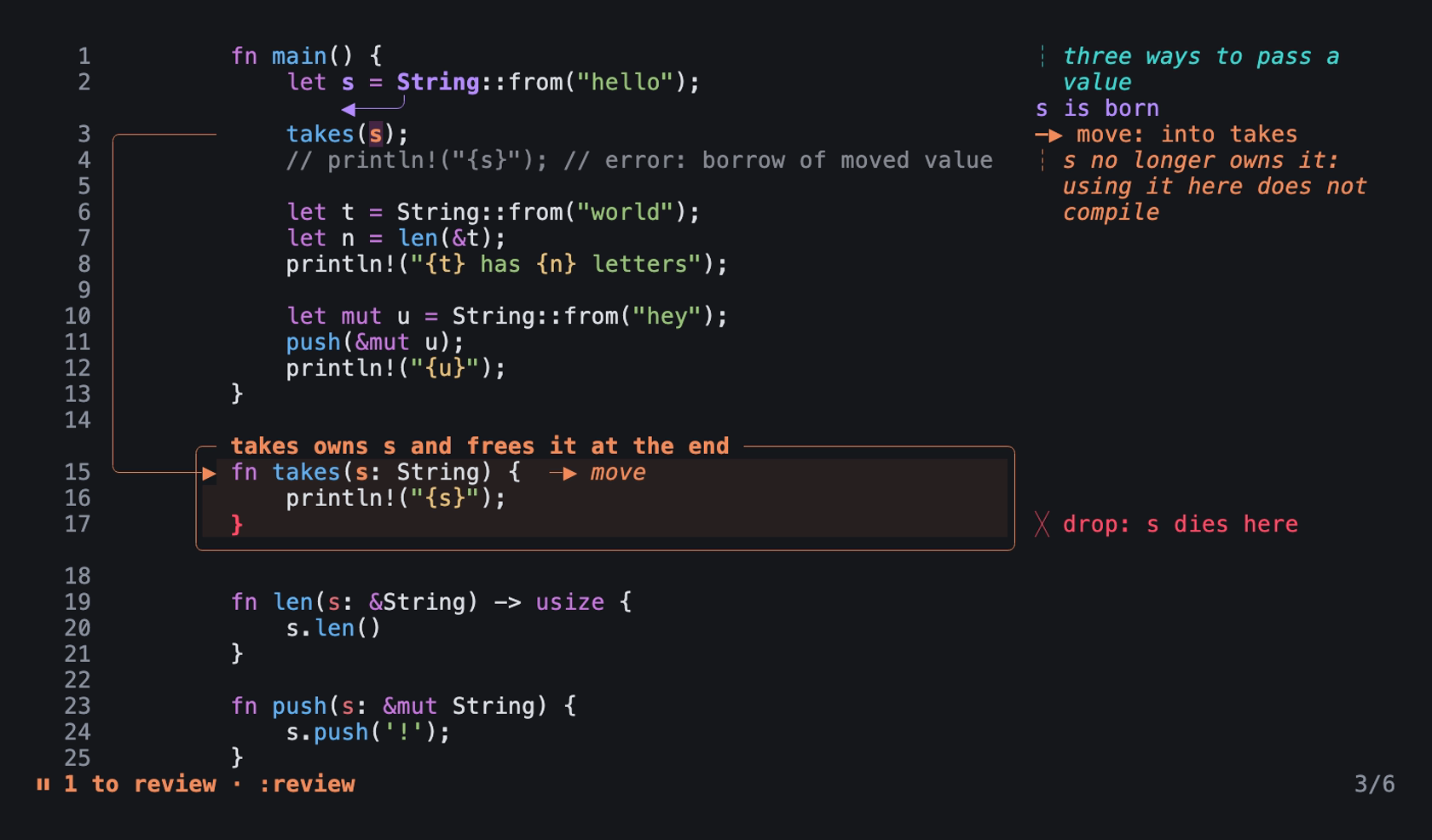
One agent change waits while you present step 3 of examples/ownership.rs.tiza: an image of the TUI in a real terminal of 100 columns and 30 rows, with the Menlo font.
- The call of the agent waits for your decision.
- Tiza rejects a change that nobody decides in 60 s.
- The agent can read at any time.
status,get_code,render_text,checkand the resources never wait. - Every request that changes the document or the screen waits. The list is in Supervised mode in the Socket API.
tiza next,tiza prevandtiza gotochange the step, so they wait too.- An agent or a script can ask to turn supervised mode off through the socket. That request waits for your decision too. The review shows it as
turn supervised mode off. - Your own
:supervise offdoes not wait.
Keys of the review
The keys of the review are in Agent review.
Changes that you cannot see
An agent can add or change an annotation that the screen does not show. Examples are an annotation at a later step, in a file that a code.link hides, or outside the window. Then the status bar shows a message with by agent, as it does for your own commands.
For example:
a17: box 3-5 added by agent (step 1, press n)
a4: note L13 updated by agent (step 3, :step 3 shows it)
a9: note L17 added by agent (src/queue.rs, not shown at step 2)- Several changes within one second share one message, for example
3 agent annotations not shown (step 1, press n). - In supervised mode, the message of the acceptance has the same end, for example
accepted p1: add box L3-5 (step 1, press n). - Presentation mode does not show these messages. The status bar shows them when you leave presentation mode. It leaves out the annotations that the screen shows at that time.
Status bar
| Status bar | Meaning |
|---|---|
⏸ supervised | Supervised mode is on, and no change waits. |
⏸ N to review · :review | N agent changes wait for your decision. |
Messages
| Message | When |
|---|---|
supervised mode on: agent changes wait for y/n (:review lists them) | :supervise on turned supervised mode on. |
supervised mode off | :supervise off turned supervised mode off, and no change waited. |
supervised mode off; N waiting agent changes rejected | :supervise off rejected the changes that waited. |
supervised mode already on | Supervised mode was on already. |
supervised mode already off | Supervised mode was off already. |
supervised mode on (N pending) | :supervise with no word gives the state. |
usage: :supervise [on|off] | :supervise has a word that is not on or off. |
N agent changes to review: :review shows them | An agent asked for a change. N counts all the changes that wait. |
no agent changes wait | :review found no change. |
the agent changes need 40×12 or more | :review found a terminal that is too small for the review. |
accepted pN: SUMMARY | You accepted a change. |
pN accepted but failed: SUMMARY | You accepted a change, and the change failed. |
rejected pN: SUMMARY | You rejected a change. |
accepted N agent changes | a accepted the changes in the review. |
rejected N agent changes | d rejected the changes in the review. |
N agent changes expired without a decision | Changes waited for 60 s, and Tiza rejected them. |
ID: SHAPE added by agent | An agent added an annotation that the screen does not show. |
ID: SHAPE updated by agent | An agent changed an annotation that the screen does not show. |
N agent annotations not shown | An agent added or changed several annotations within one second. |
- When
Nis 1, the messages sayagent changeandchange, and the message about the changes to review saysit. :supervisewith no word givesoffin place ofonwhen supervised mode is off.- When the terminal is narrower than 60 columns, the size message is only
needs 40×12. SUMMARYtells what the agent asked for, for exampleadd box L3-5orturn supervised mode off.SHAPEis the annotation and its lines, for examplebox 3-5ornote L13.- When you accept
turn supervised mode offand other changes still wait, Tiza rejects them. The message then ends with; N waiting changes rejected. aacceptsturn supervised mode offafter the other changes in the review, so it does not reject them.
The messages about annotations that you cannot see end with one of these:
(step N, press n)(step N, :step N shows it)(press n)or(:step N shows it), when the message already names the step(FILE, not shown at step N)(not drawn: no room at W columns)(not shown: REASON)
A message for several annotations has none of these ends when the annotations have different reasons, and none of them is at a later step.
See also
- Supervised mode tells the agent what its calls get in supervised mode.